
Change materials
- 1Select a room floor, a wall or a piece of furniture.
- 2In Properties, choose a material: paint, wood, tile, marble, concrete, fabric or carpet.
- 3Pick a colour, or a finish from the Library (paints, oak, walnut, 60×60 and 80×80 tiles, Carrara and Marquina marble, polished concrete…). Pattern size and Pattern angle scale and turn tiles and planks.
- 4Upload texture photo uses your own picture (a tile or wallpaper sample) tiled every Photo covers metres.
- 5For a wall, tick Different finish on each face to finish the inside and outside differently, and Wainscot / cladding along the bottom for a band of wood or tile up to the height you choose. Each face and the cladding are priced per m² in the quote.
- 6Tick Glass partition to turn a wall into glazing in a slim aluminium frame. Set a Solid base height for a half wall with glass on top, the maximum Pane width between mullions, the frame colour and Frosted glass. The plan draws it as a light outline with a line down the middle; the quote counts glazing per m² instead of paint, and the lighting study lets daylight through glass that faces outdoors (glass between two rooms brings in none).
Place lights
Pick Light (L) and click the plan to place one. In Properties, set its colour, intensity and height.
Table and floor lamps from the library give off real light. Turn on Interact (H) to switch each lamp by clicking it, or use All lamps on / All lamps off.
The Lighting study button colours the plan by illuminance (lux at desk height) from lights, lamps and daylight through windows at the current time of day, and rates each room against the recommended range for its name (kitchen, bedroom, office…).
Light intensity 4 is about an 800 lm bulb. Load a manufacturer's .ies file on a light to use its real beam and lumens in the study.
Sunlight and ambient light
In the Environment panel, turn on Sunlight and drag Time of day to see the sun come in early in the morning or late in the afternoon. Ambient light sets the overall brightness of the scene.
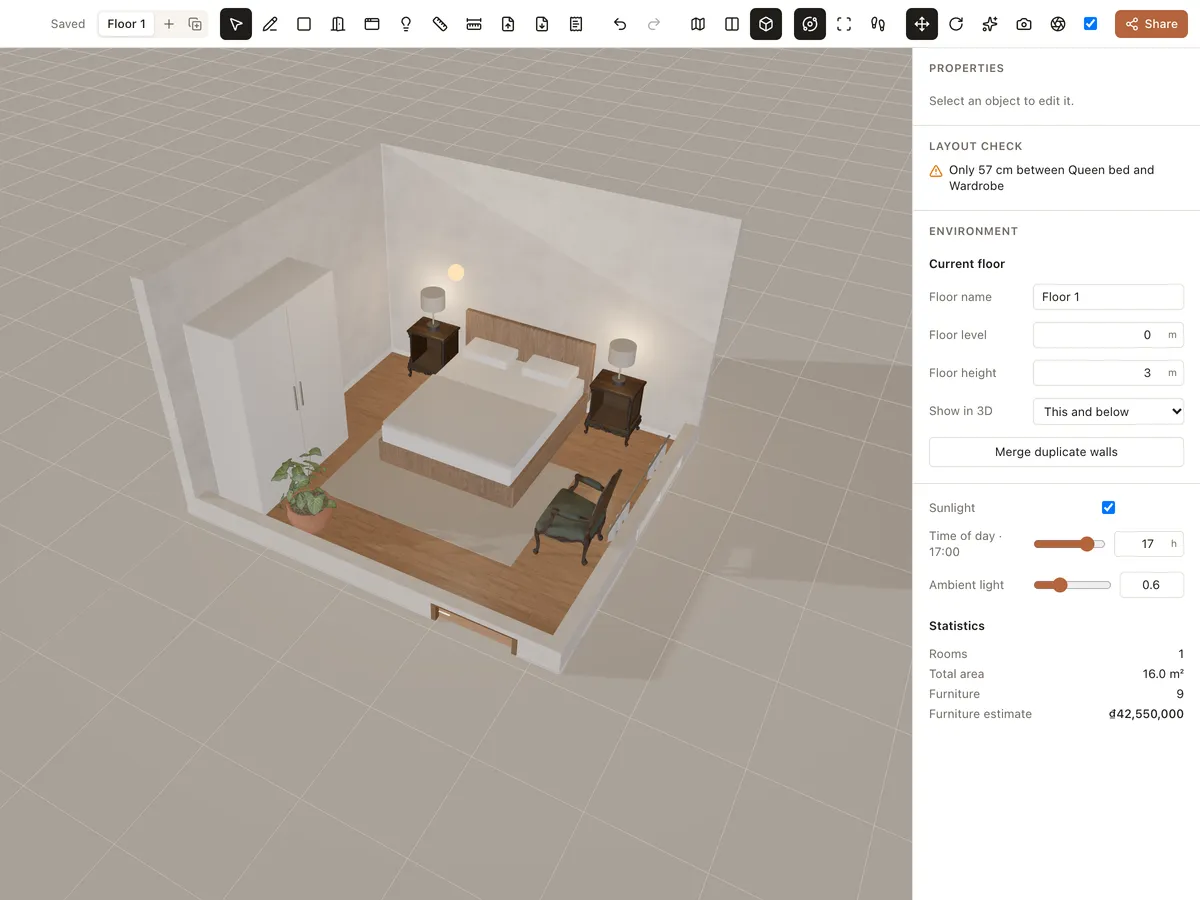
Turn on High quality in the toolbar for nicer shadows and light when presenting to clients.