
Automatic interior quotes from your plan
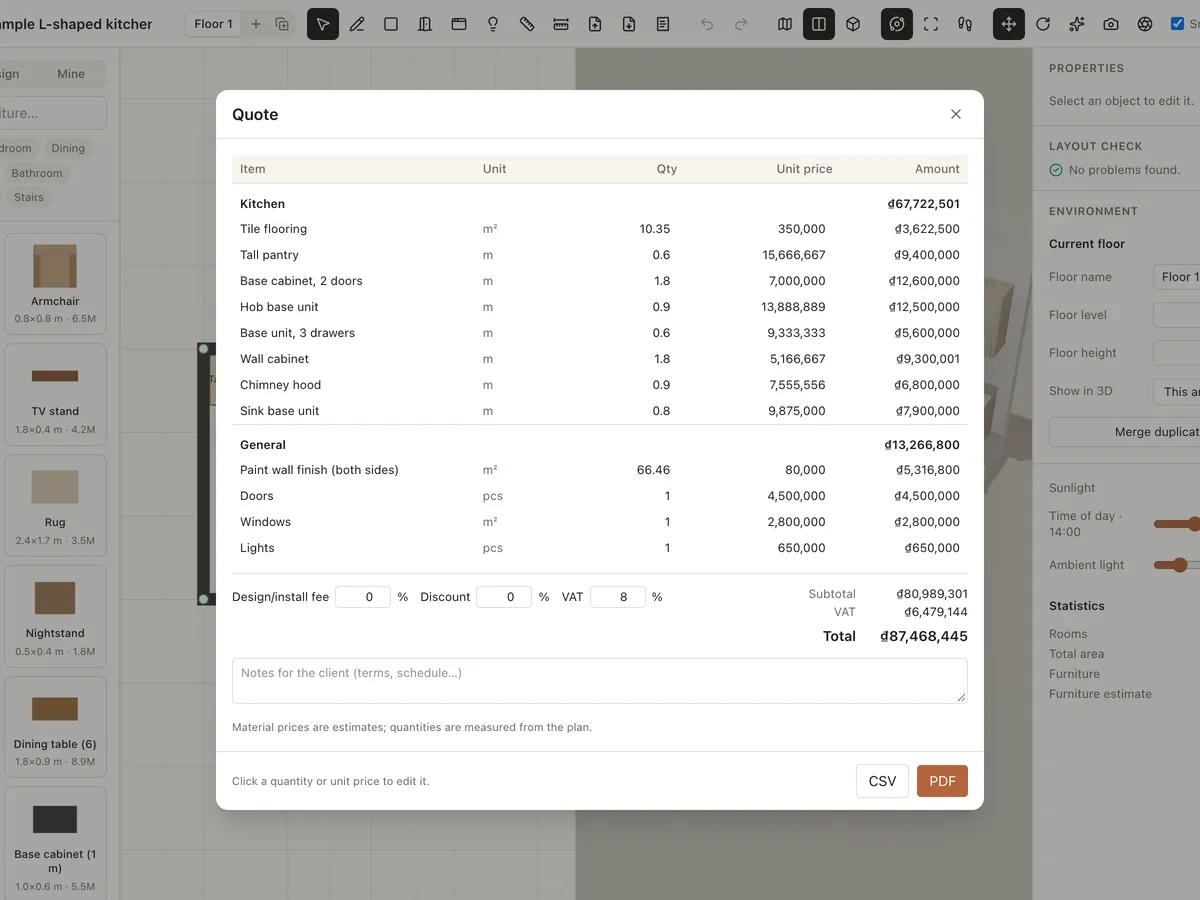
Roomcraft counts the furniture, measures floor and wall areas, and counts doors, windows and lights straight from your design to build a quote. You just adjust unit prices and add your design fee, discount and VAT.
- Quantities from the plan
- Fees, discount, VAT
- Editable prices
- Share with a view link
What's in the quote
Automatic quantities
Furniture counts, floor and wall m² (both sides), doors, windows and lights come straight from the design.
Edit in place
Click a quantity or unit price to change it; line totals and the grand total update instantly.
Fees, discount, VAT
Add a design/install fee, discount and VAT, with notes on terms and schedule for your client.
Send it to clients
Create a view link that includes the quote, so clients see the 3D design and the cost together.
Quote in 3 steps
- 1
Finish the design
Draw the plan, furnish it and choose materials.
- 2
Open Quote
Check the quantities and set unit prices from your suppliers.
- 3
Send it
Add notes, fees and VAT, then share a link with the quote.
Frequently asked questions
Is Roomcraft free?
Yes. Roomcraft is free and runs in your browser (Chrome, Edge, Safari or Firefox with WebGL), with no software to install. Create an account to save projects to the cloud and open them on any device.
Where do the material prices come from?
Default unit prices are only rough estimates. Replace them with your suppliers' prices; the quantities are measured from the plan.
How is custom joinery priced?
For pieces made from parametric templates, Roomcraft estimates the price from boards, edge banding, hardware and labour in the cut list and adds it to the quote.
Explore more
See all features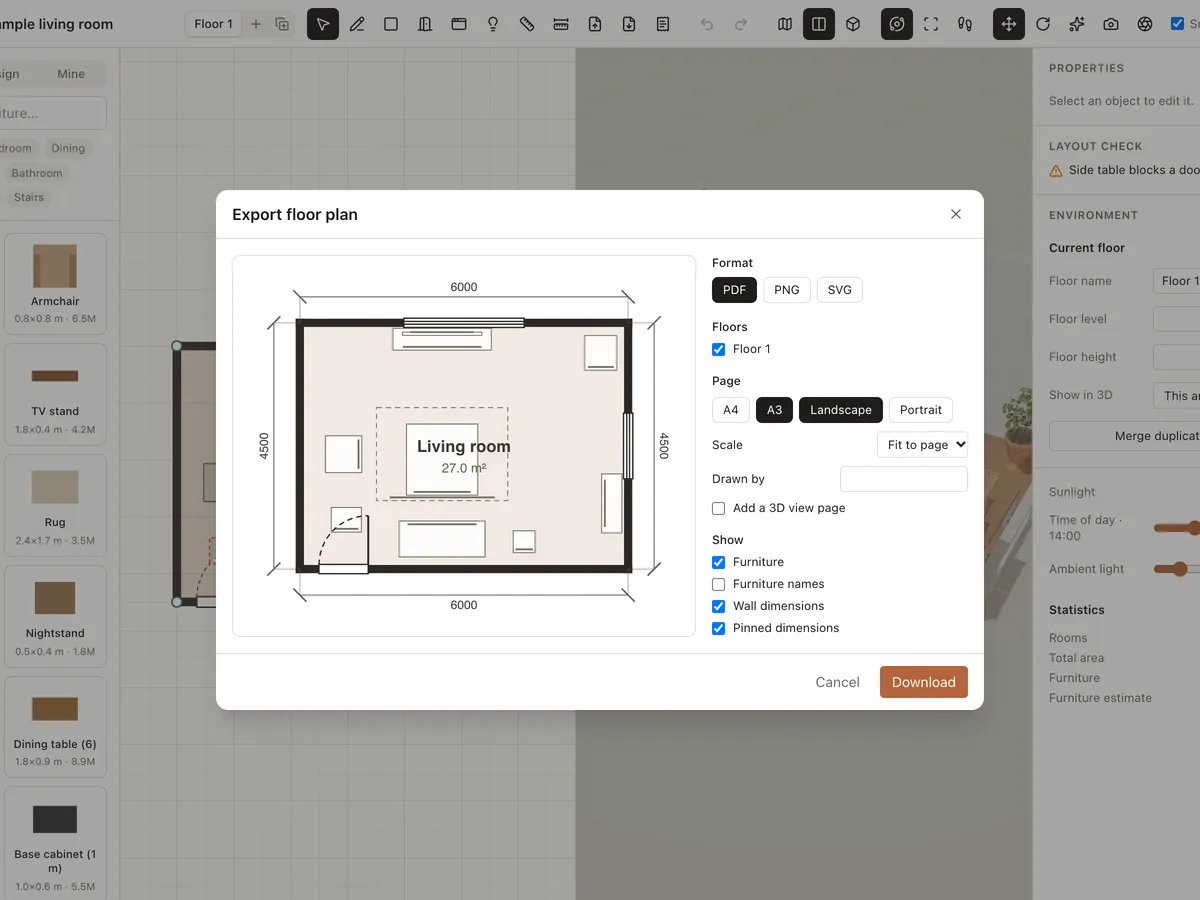
Export plan to PDF/PNG
Export your interior floor plan to PDF, PNG or SVG at scale, with wall dimensions, furniture labels, a title block and a 3D view page. Send it to your builder or print it.
Learn more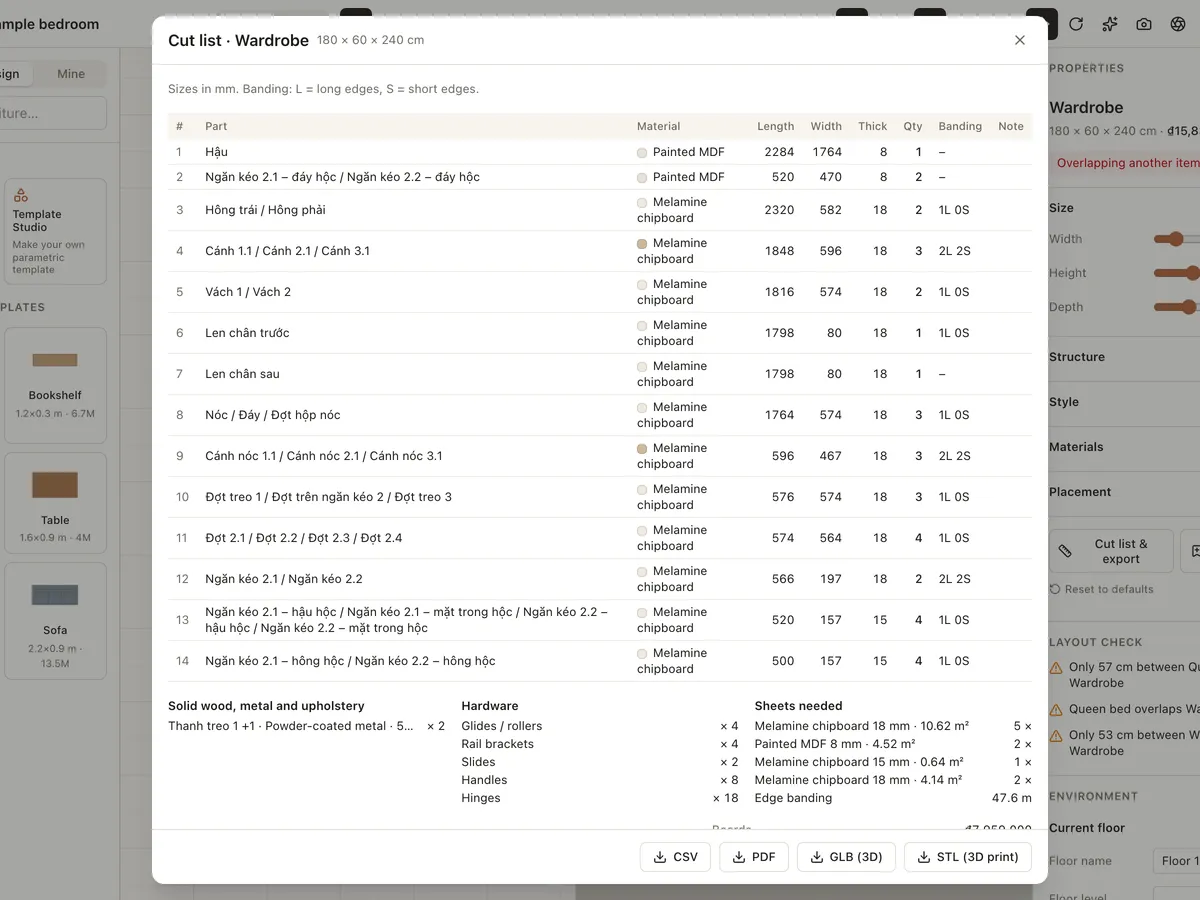
Custom furniture & cut lists
Design made-to-measure wardrobes, cabinets, bookshelves, beds, tables, chairs and sofas from parametric templates. Choose melamine, MDF, plywood, veneer or solid wood and export a CSV/PDF cut list.
Learn more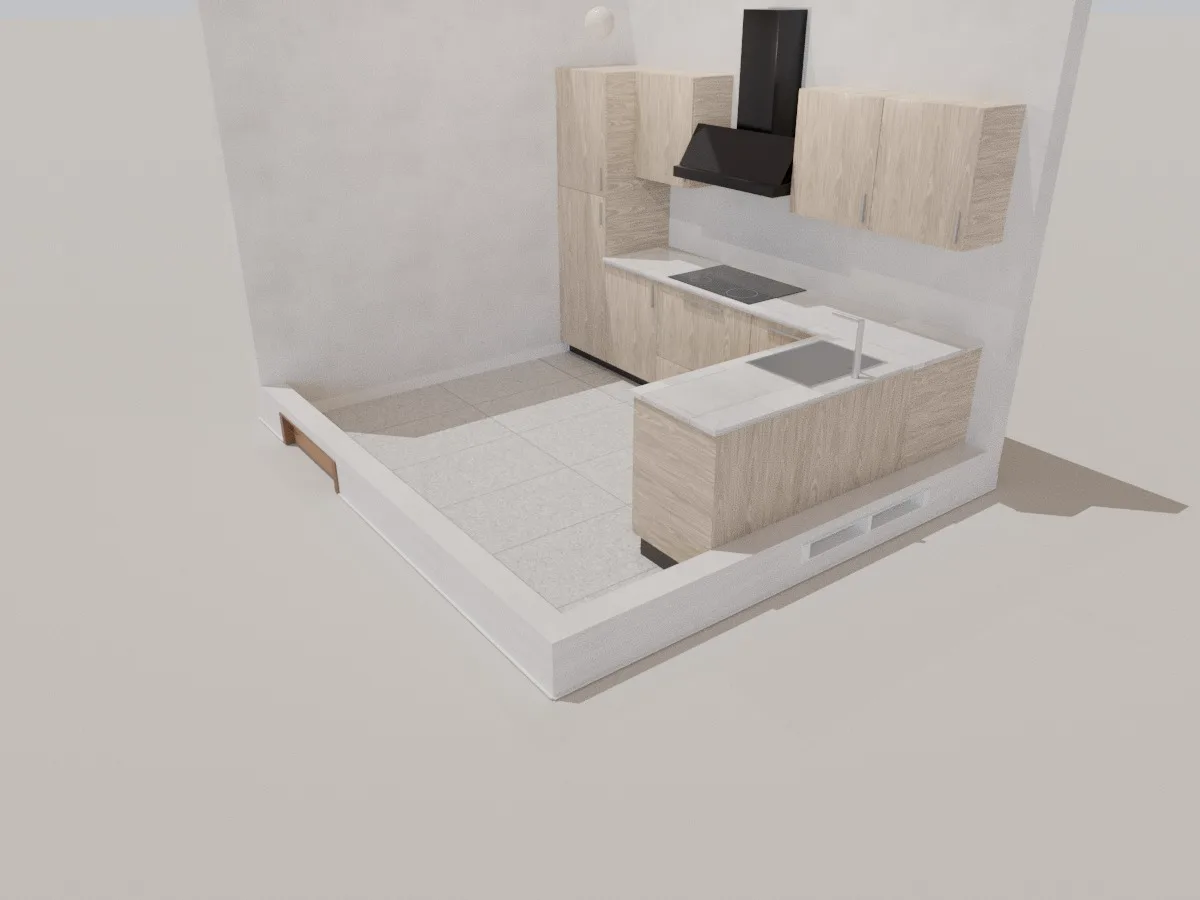
Kitchen
A 3.45 × 3 m L-shaped 3D kitchen with wall and base cabinets, hob, range hood, sink and tall unit. Resize it, change the finishes and price it up right in your browser.
Learn moreReady to design your home?
Free, right in your browser, nothing to install.