
Drag-and-drop 3D furniture library
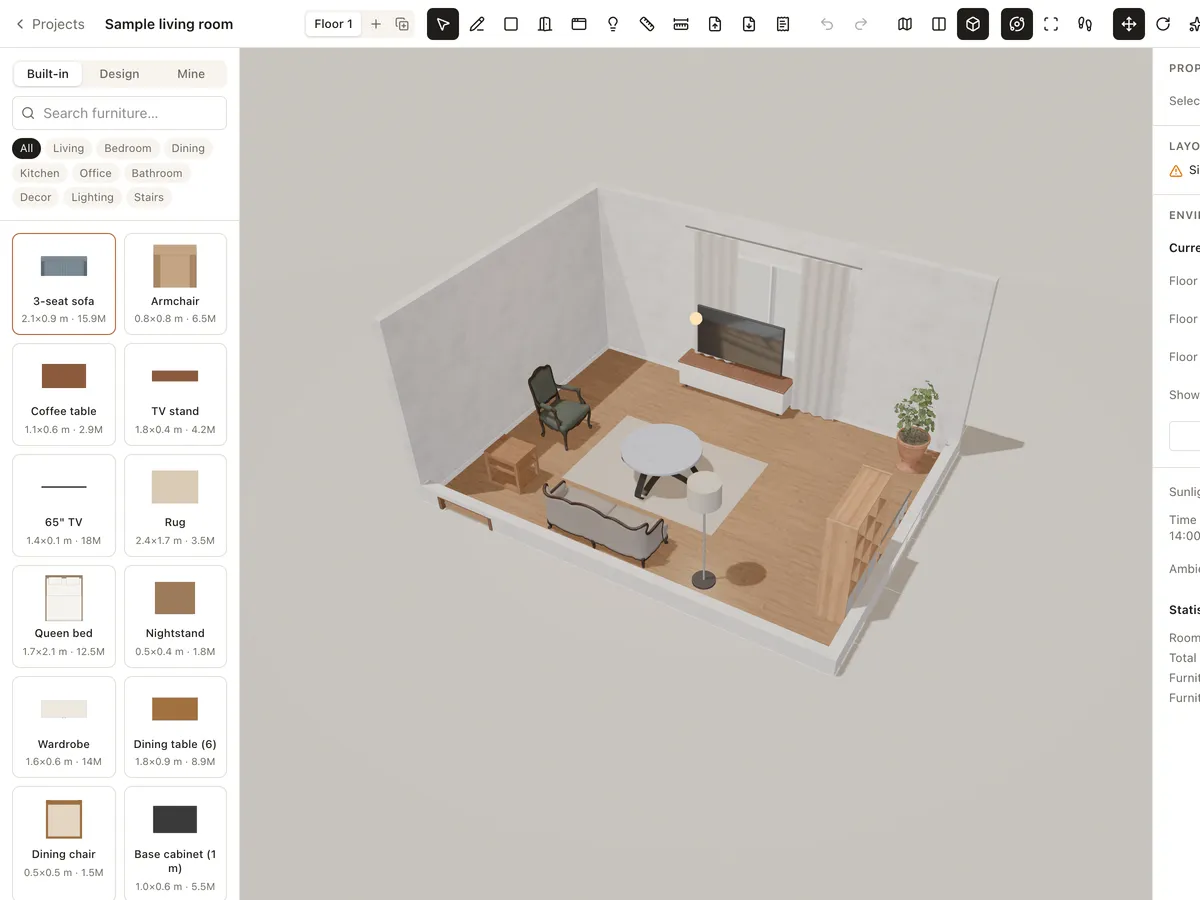
Plenty to furnish with: living, bedroom, dining, kitchen, office, lighting and decor. Drag a piece into the room, rotate and move it, and let it snap against the wall. Every piece is at real size.
- Living, bedroom, dining, kitchen, office
- Real 3D models
- Import GLB/GLTF
- Community library
What's in the library
Official models
Sofas, armchairs, beds, nightstands, dining tables, shelving, modular kitchen units, lights, plants and decor.
Drag, drop, snap
Drag a piece into the room, rotate and move it; it snaps against walls as it gets close.
Your own models
Import GLB or GLTF (with its .bin and textures), up to 50 MB after optimising.
Community
Use models others have shared publicly and save the ones you like for every project.
Furnish in 3 steps
- 1
Pick a category
Open the furniture panel, filter by room or search by name.
- 2
Drag it in
Drop it on the plan or in the 3D view, then rotate and align.
- 3
Change materials
Select the piece to change colour, material and size in Properties.
Frequently asked questions
Is Roomcraft free?
Yes. Roomcraft is free and runs in your browser (Chrome, Edge, Safari or Firefox with WebGL), with no software to install. Create an account to save projects to the cloud and open them on any device.
Can I bring in models from SketchUp or 3ds Max?
Yes, export them as GLB or GLTF. Roomcraft optimises models on import so they run smoothly in the browser.
Can other people see the models I import?
Only if you choose to share them publicly. By default they stay in your own library.
Explore more
See all features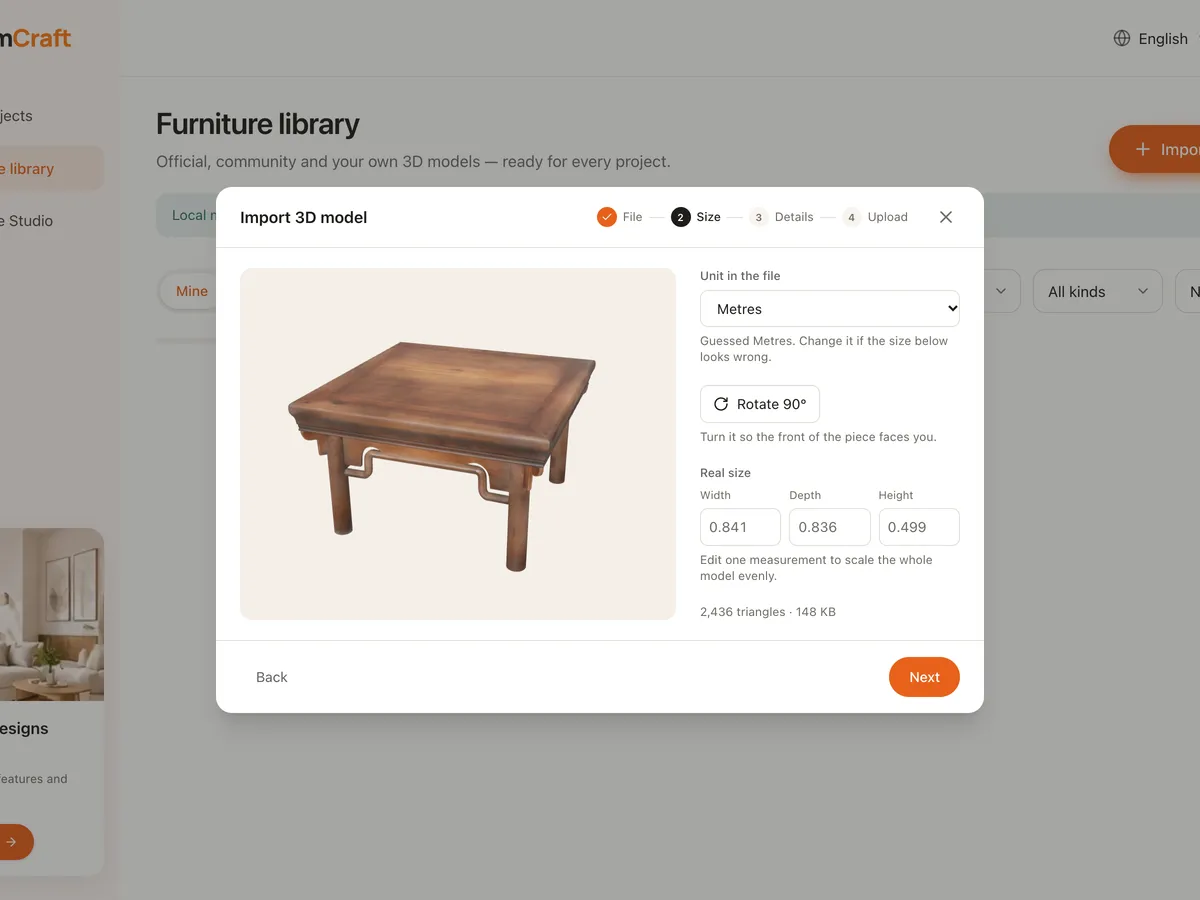
Import 3D models
Bring your own GLB or GLTF furniture models into the Roomcraft library: optimised automatically, scaled to real size, placed on floor, wall or ceiling, private or shared.
Learn more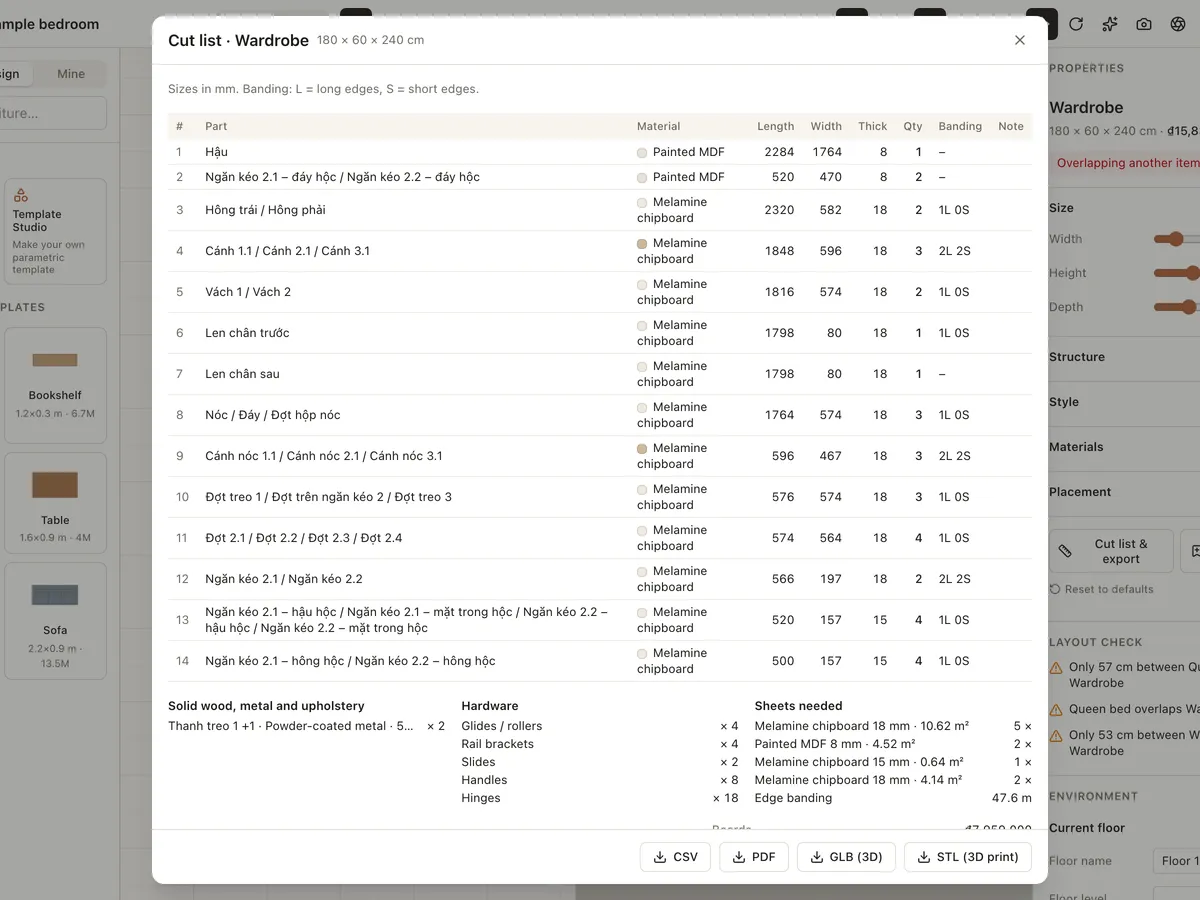
Custom furniture & cut lists
Design made-to-measure wardrobes, cabinets, bookshelves, beds, tables, chairs and sofas from parametric templates. Choose melamine, MDF, plywood, veneer or solid wood and export a CSV/PDF cut list.
Learn more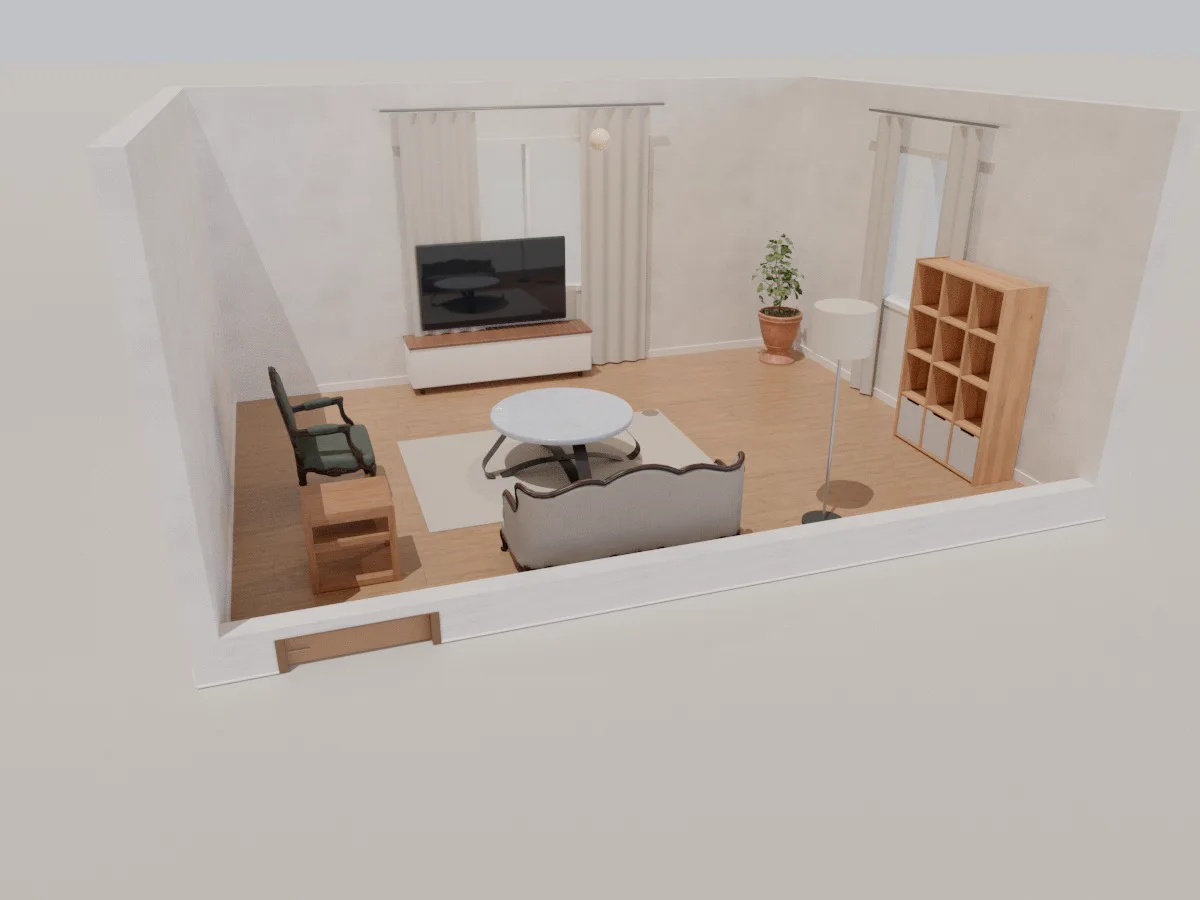
Living room
A ready-made 6 × 4.5 m 3D living room with sofa, coffee table, TV unit, shelving and lighting. Open it in your browser, rearrange it, change materials and walk through it with Roomcraft.
Learn moreReady to design your home?
Free, right in your browser, nothing to install.